Thursday, 5 March 2020

Semester 2 Week 6 - Unity 6


Unity Tutorial 6


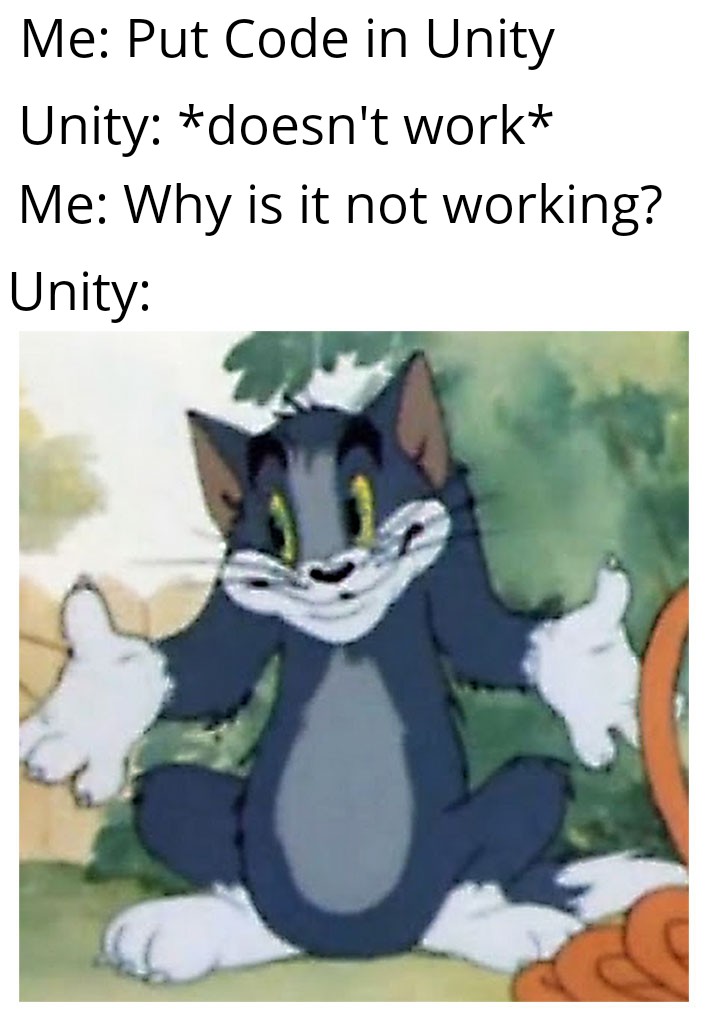
Alright there's something wrong with Unity today. For the tutorial, there a section that requires you to set up "Physics.gravity", so that when the player model jumps, the gravity will pull it down back on the ground.

Logically, the text on the script file should turn to a particular color when the code is correct. However, the Physics.gravity code refused to work and I tried everything I can think of. 
This is not flying, this is walking with style.

Funny enough the codes for this tutorial is rather fuzzy at times that I can't really figure out where exactly went wrong. Errors in the codes are easy enough to find but if the codes are typed in "right" and error still persists, it is the hardest to find and fix.

Also the script for the background doesn't seem to work for me, even though I made it identical to the tutorial.

So I have a business man spacewalking to the stratosphere and the infinite planes beyond on my Unity right now and because of a particular individual's assignment, I don't have much time for this blog anymore.
Hope you had a better time than me at this.

Zhen Li.

Thursday, 27 February 2020

Semester 2 Week 5 - Unity 5


Week 5 Unity

Alright. Same week, same story. The scripts gave me a bit of issues. I crashed because of constant fatigue for the past month and does not have the energy to fix every nook and cranny.

The good thing is I got everything except two working so that's good news.


First, the tutorial was okay enough. The Instantiate, box collider, etc. was easy to put in but for whatever reason refuses to work together. The food projectile does not collide with the animals, therefore can not destroy the GameObject.

This took too long to do for what's given.
The challenge was relatively simple but despite simplicity, it still refused to work. The ball spawner just needs to be moved up. The destroy object script for both objects can be confusing but I'll leave this late reminder/hint: click on the dog in the play mode and look at the dog's position in the inspector. If on your file, the dog is moving toward a negative direction, you have to change the script accordingly(This took almost an hour for me to figure out).

However, I tried everything I can to make sure the ball spawner spawned three balls instead of one. I even copy and pasted the script from this week's tutorial (of course with some adjustments). It still doesn't work...
At least I got the majority of them to work somehow.

The reading will have to be dropped this week, I've been trying to find more sources to make an adequate paragraph but to no avail. Finding journal and other peer-reviewed sources for game world purpose and game aesthetic choice is about as scarce as snow sticking to the ground in Ireland.

Friday, 21 February 2020

Semester 2 Week 4 - Reading 4


Week 4 Reading 4

This will be very disappointing in terms of progress made...
Due a lot of confusion, fatigue and lack of clarity to the readings, little progress has been made in these few weeks. But thanks to Sam and his email containing a simplified explanation of the readings which really clears things up.

Under the criteria of this weeks readings, I did what I could with the information I currently have:

1. Regardless of aesthetic choice of realism or stylized, immersion is rather important whichever the case. One of a game's most important aspect is how immersive the world is and the art style can help the player sink deep into the world of the game. Realism give the world a down-to-earth, familiar feel while stylized, cartoonish art style creates the world in a different and abstract manner.

2. Fidelity with Realism: Like what I said in the post last week, the realistic look needs to be believable but not 'creepy' in order to make the world 'feel like home'. Same goes with stylized art style, if the art style is too abstract and feels like a drug-trip, unless that's the aesthetic choice you went for and designed around, it can turn off players as easy as the depth of the uncanny valley. Failing in both can make the world look messy and without pulling punches, repulsive. The game's world must be appealing as so to interest the player than to disgust them to prevent them from playing.


In order to approach the writing I need to structure the flow of the writing in some way. I currently have an approach I want to take:


First start with answering the research question of what the purpose of the world is in a video game: What draws in a player to the world of the game?

Story/lore, environment, characters, interactions and aesthetics, etc.

Next it's the aesthetic choice of a game with the main two being:
Realism vs Stylized (Realism vs Animation sounds weird.)

One leaning towards high definition graphics and real-looking models and world design.

The other leaning towards exaggeration, vibrant colours, stylized assets and characters, etc. which some may call cartoonish to some degree.

Both of these styles will be compared, their differences, feel and their purpose in the game they were used in.

This should be relatively how the paper will be structured. Obviously it will be subject to change but it's better than last week.
I still have some things that are still slightly muddled, but I have went through similar things before and I know what to do.

(Many thanks to Sam who wrote that life-saving email that made everyone's life a little easier.)


Zhen Li


Thursday, 20 February 2020

Semester 2 Week 4 - Unity Tutorial 4


Week 4 Unity

This week's Unity task was okay for the most part. The codes worked as long as you put them in correctly line by line. 

The Instantiate code in the launching of the food item is particularly useful for a lot of things. FPS shooters, dangerous traps, etc.
Honestly, if I found this tutorial earlier in the first semester, it might've been easier to set up the shooting script for my projectiles. 


The Horde comes... You can not stop it...

The random spawner code is useful for spawning enemies and entities in random spots on a map and creating regular flow of enemies to quench your insatiable hunger for mowing down the opposition with many means of violence... But hey, more mechanics for your games!

Since I don't have time to look at the next tutorial, I can assume that the random spawner won't be activated with the "S" button anymore but set on a timer interval so the animals spawn with a slightly random yet still consistent pace, much like a defense genre flash game.

The movement mechanic is rather common to simpler games with a straight forward mechanics like space invaders. If the movement system is expanded upon just a bit, it might feel like games such as Temple Run where movement is limited to the left, middle and right paths.

Oh well, that's for today. Hope everything's going well with the readings and such. I'm definitely not liking the readings so far.

Zhen Li.


Thursday, 13 February 2020

Semester 2 Week 3 - Reading 3


Week 3 - Reading 3

For the reading this week, I looked over a couple of sources regarding game designers choice over using realistic or animated/'stylised' aesthetics.

Even by skimming over the articles, it's rather painfully obvious that due to a certain over-saturation with the pursuit of realism that players are now more drawn to either stylized art styles or a combination of both aesthetic choices called 'stylized realism' (not very creative here but better than scientists naming things...)

I remember a video talking about the concept of the 'Uncanny Valley'. This is a concept where, a certain individual or thing will look rather weird or uncomfortable if they don't lean towards high fidelity realism or the cartoonish style. It's like a robot with 'realistic' facial movements. Despite how realistic they're trying to look, these robots will always look weird and uncanny. This feeling is what any game designer choose to avoid as much as possible when picking an aesthetic choice for their game as it can make or break it completely.

Recall Team Fortress 2 and the recent Call of Duty. Team Fortress 2 is very stylized with its rather recognizable cartoonish character proportions while the modern Call of Duty achieved a very impressive and believable realism in their graphics.
Image result for uncanny character faces
Photo-realism is very good as it shows the capability of
the game engine rendering realistic faces accurately.
However...


Image result for uncanny valley character
The uncanny valley has a very deep gap where
you have to make things look 100% realistic or stylized.
The 'depth of the valley' never looks appealing to anyone.
After reading majority of these sources, I have a rather clear image as to how designers of the industry and games in the past years approach the use of realism and stylized designs. Surprisingly, many designers and artists are looking into this 'stylized realism' and I am trying to find more sources regarding this aesthetic design choice.

Zhen Li

(Edit) To explain 'Uncanny Valley' in a more interesting and easy-to-understand manner, I would recommend Extra Credit's video on the subject:

https://www.youtube.com/watch?v=9K1Kd9mZL8g

I hope this video expains this concept better than I have. Also Extra Credits is a great Youtube Channel on everything gaming and very eye-opening.

I'll have to temporarily drop the 'Game World Design' research due to a surprisingly lack of peer-reviewed sources on the internet that is readily accessible.

Semester 2 Week 3 - Unity Tutorial 3


Week 3 Unity 3

I. Have. Fixed. Everything.

I finally fixed Unity to work as intended. Needing to reinstall a new version of Unity alone took a few hours (for whatever reason). 
My questionably acquired Visual Studios was re-downloaded in the middle of the tutorial but it worked out in the end.

Let's get on with the tutorials.


This tank model looks better than my first Unity game project by a long shot...

The first tutorials went well without a hitch. The code was very clear on the website and since the tutorial mainly composed of very basic procedures, you can skip the videos and just use the code under each video so speed up your process. This tutorial says it'll take up a few hours but in reality, for Year 2 students, it should only take half an hour. Thanks Multimedia 1...

Here's the best/worst part.

Not gonna lie.
This challenge did get me.
Not for too long though...
'Challenge 1' is just using what we learned (and using the convenient hints offered on the page) to make a "Happy Bird" rip-off. The hints were just either blatantly obvious or just downright sadistically vague.

Just remember: to spin the propeller, just use transform.Rotate(x-axis, y-axis, z-axis * Time.deltaTime);. Change the z-axis and you're good to go. 
I posted this really late in the night so this hint can not be used for your own Unity tutorial. This way I cannot be accused of being 'unfair' or 'scummy'.
You can only cry after reading this and wonder: "Wow, what a dick."

Anyway. Everything went well with the tutorials. (not) Looking forward to the next tutorials.

Zhen Li.

Monday, 10 February 2020

Semester 2 Week 2 - Reading 2


Reading 2 - Reflective component 
(I dunno what to name this blog...)

This booklet thing is DEFINITELY quite overwhelming. The amount of research required and sources that needs to be sited, the amount of work that goes into using the Matrix...

Not going to lie, the matrix thing is rather confusing to use, or it's just me and my bad English...

However, I have a clear idea as to how I'm going to approach my chosen topics. That's a plus.

First, the purpose of a game world:
Game worlds are there to fully immerse you into its culture, mechanics, lore, people, and... well, the world itself. There wasn't any actual articles or research notes on game world on their own. However, since worldbuilding itself is not just a term applicable to games, I can look up how worldbuilding is done on other mediums; novels, movies, etc. This may or may not make my life easier but we'll cross that bridge when we get to it.

Second, Realism VS Animation:
I know it's referring to the aesthetic choice of which the game world is presented; whether to depict it with realistic or cartoonish rendering and how it can affect the look of the game world. I have basic knowledge when it comes to this thing so I have a clear picture as to how this topic can be researched. Does the stylistic choice of the game affect how we experience world of the game? Does it immerse us into the world or not? These questions are also applicable to drawing and animation since the approach to the topic is similar in those regards.

Words: Too long
English requirement: ERROR
The sources are coming in nicely, even though they're all articles and blogs...


I am really slow and confused when it comes to the matrix and the whole ORGANISING part but I can handle it.

Zhen Li.


Sunday, 9 February 2020

Semester 2 Week 2 - Unity Tutorial 02


Hey what's up guys! 

Welcome back to semester 2 Multimedia module and the hell that waits us in the coding department.

Talking about hell...

As soon as I started doing the tutorials, these persistent pieces of errors kept popping up and preventing me from progress. The error detected are related to 'missing syntax' which are error commonly associated with missing commas or other components in the script.
I followed the tutorial down to the last detail but the errors still remains. It may be Unity itself having issues.

The whole process is going to take ages to fix but the tutorials should take too long in the future.


Just look at this... All the errors on the script files.
I checked the visual studio and it says 'No error detected' or something.
Great start to a new semester...

OK, I can sum up all the details of the tutorials in a short, summarized manner from what I understood:


The tutorials outline how to setup a player object (in this case, a vehicle.) to move forward with a script and by implementing 'RigidBody', bump into the obstacles on the road.

Importing assets, setting up scripts, adding components, fixing cameras, etc. we've all done those in the last semester so it's very easy to follow. In fact I think that this 2 hour tutorial can be shorten down to less than half an hour because many of the steps is too easy.

I'll have to re-download everything and start over. 
Good luck on your tutorials, project, etc.!

Zhen Li

Sunday, 8 December 2019

Week 11 - Project Beta(?)


Week 11 - Project Beta

"Beta" : "A pre-lease version of software that is given out to a large group of users to try under real conditions. Beta versions have gone through alpha testing in-house and are generally fairly close in look, feel and function to the final product; however, design changes often occur as a result."

oh boy. If this is the definition of Beta, then my game is too far judging by its current state. I finally got my time sorted and began working on it. The weeks before I just put the script in the assets folder so I can work on it when I have the time. What I wasn't aware of is that the scripts are rather incompatible and does not function.

The scripts that started having this problem are:
First, Health Script - A certain value needs to be added to the enemy and player as Health points. This is simple enough... but it's the second script that gives the most problems.

Second, Damage Script - It's similar to the Health Script where a value has to be set as the damage value. But the catch is that the Health Script and Damage Script MUST interact with each other to work. When the projectile; which the Damage Script is attached to, hits the enemy, it must decrease their health and when it drops to 0, the enemy must get destroyed.

For whatever reason, the health and damage script are not working.
There were no errors on the compiler so I have no idea what went wrong.

There was no obvious and hidden signs that the script wasn't working and I can't figure out what went wrong. It's been a full day working on this and it felt like going nowhere.
The enemy is given 10 HP, I was firing projectiles that deal 1 damage.
I have already fired more that 30-ish shots.
If you look at the console; no errors.
This is what a not-so-peachy Unity day looks like...
So with no productive progress has been made this day and everything has gone wrong. At this point, failing this course is as easy as the dying was during the Black Plague.

Please have a nice day.

Thursday, 5 December 2019

Week 11 - Unity Free Tutorial


Unity Week 11


So I will make this post short, the fatigue is setting in and I can't stay awake past 12. There were issues regarding a functioning health and damage of which has a freely changeable variable for the values so they can take and deal a certain amount of damage.
This is so that in the future if I need to add multiple characters, I can assign an edited duplicate of the 
health and damage script to each of the characters.

The three characters, RED, GREEN and BLUE have different stats represented by stars.
Here's how it goes, for example:
DEFENCE has nothing to do with damage reduction but with the characters' HP.
At one star, they'll have at default 4 HP. Every extra star adds an extra 3 HP on top of that.

RED has at standard 10 HP (3 Stars), Blue has 4 HP (1 Stars) and Green has 16 HP (5 Stars).

The health script from this video, is very malleable so I can adjust it to my needs. Although  the code is in Javascript, nothing a little code converter can change.

Things are slow as of now due to other assignments, but some progress is still progress.
"Don't we all feel like this at some point."

Anyway, have a nice day.

Monday, 2 December 2019

Week 11 - Tech Task


Not gonna lie... Tech task is pretty fun when all you're making are memes.

If I knew about that part at the beginning of the semester, I would've been doing tech tasks 24/7.


Thursday, 28 November 2019

Week 10 - Unity Free Tutorials


Week 10 - Unity Tutorials

If you want to look through this Unity blog, you might find some tutorial that may help you. But, no guarantees though. Just saying.

I have selected a few tutorials on YouTube that will help with the tasks I need to do for the game as of right now.

The first is the Health UI tutorial:

This individual's tutorial is very helpful because it's a very basic Health UI system that can be easily implemented into the Unity version we're all using.
In the tutorial, he talks you through how to create a Health Bar UI that is responsive to the damage and heals you get in your Unity Project. The code is very easy to read and use. It fits really well into Unity itself and the code has no unwelcoming error/issues even when implemented correctly.

The second is the Enemy AI that makes them fire at the Player.

Unlike many other tutorials, Stephen actually provides his script in a downloadable manner through his Google drive link for students like us to download. With this it means that all we have to do is to change parts of the script applicable to our project at will. This should've been something that everyone doing Unity Tutorial should do. His tutorial involves the use of prefabs and 'Instantiate' which are common elements in firing projectile and applying them to an AI who will detect if the player is in range and fire projectile at them accordingly.
A rather short and helpful video for anyone looking for a bit of challenging coding because his tutorial is easy but the codes isn't. As long as you keep track of where in the script you should replace with your own assets and entities, you should do find. Then again don't expect it to be easy.

These are the Tutorials I found most useful in the sea of YouTube Unity Tutorials. I hope you might find these tutorials or the people responsible for making them helpful.

Update on my Project:
Added a health bar. Just need to apply damage system and it should be fine.
The damage system will need some time to clean up before it's fully functional but besides that, I made some good progress.

But that is all!

Have a nice day.


Wednesday, 27 November 2019

Week 10 - Tech Tasks


Oh yeah,meme time.


Week 10 - Game Stories - Narrative


Game Stories - Narrative


Narrative is often neglected in games that seemingly need a story to drive the player forward. There are reasons that games like these fail worse than games that might not even have a story at all.
Narrative creates the world of which the games will take place in and within this world, we see characters grow, worlds change, and story take stage. Without narrative, there's nothing that can drive the player to play, the world to change, etc.

The Hero's Journey by Joseph Campbell is an example of a common narrative tool present in our world due to how applicable it is. The classic of a hero being called to action to a journey to defeat a great evil is almost omnipresent in media today. Of course there are variations of this classic motif but it serves as a great tool of which people can compare their own stories to as a means of reference.

The hero and villain are just characters in a story. Their impact to the world of the story and to its people are all means of enhancing the world their in, so to draw the players in and immerse them in the game's world.

As listed in the article, heroes have the essential good traits while the villains are their complete opposite. The villain will serve as the driving force behind the hero's motivation to fulfill his destiny. This story structure is so easily understood and offers a lot of leeway for the story-writers to put in their own unique input.

For an example of the Hero's Journey applied implemented very well in the story, check out these episodes by Extra Credits on Youtube:


https://www.youtube.com/watch?v=QVqT8s7bOTQ - Part 2

This game literally has the word 'Journey' as the title.
It also follows the Hero's Journey formula pretty well
while implementing their own take to its formula.


Narrative isn't just dialogue or something trivial to the game's progression. It is an essential tool to create a cohesive and rich world of which the player can play in and experience. Without story, games will be just a shell with a few interactive buttons to play with.


Here's an example of an story that is told by merely the context of the game and the player's assumptions of which both creates a natural narrative in their minds:

Narrative Mechanics - How Missile Command Tells a Story - Extra Credits


Sunday, 24 November 2019

Week 9 -Tech Tasks


Week 9 -MEMES!!!

A SUPER SPEEDY MEME 3 MINUTES BEFORE DEADLINE!!!!!

ENJOY!!!!

WHOOOOOOOO!!!!!!


Week 9 - Alpha


Week 9 - Alpha


Ok, my game is definitely not close enough to an alpha version yet but I have made some progress.
Here were some of the progress I have made over week 9:


1. I have fully implemented a working shooting script.
Originally, there was an issue where the projectile will not come out forward towards where the gun is facing but instead is shooting at the ground. I only realized the issue one day which was the orientation of the bullet spawner which was facing down the entire time.

The current shooting script is a simple "press mouse to fire and destroy enemy entity" script and as much as it is functional, it's not exactly what I'm looking for.
Number one, the projectile must deal exactly 1 point of damage. The enemies will have varying amounts of health: Red is average, having 10 HP. Blue is weaker but fast-moving, having only 4 HP. Green is the strongest but slow-moving, having 15 HP.
I have looked for many tutorials regarding Health and Damage and Health UI etc. and is currently having trouble putting them in Unity due to previously required elements from the earlier tutorial videos which can mis-match with my current codes.


2. I have made models of the three characters that will be in the game. RED, BLUE and GREEN. So far they only have different sizes. BLUE being the smallest, GREEN being the largest and RED is in between. Once I implement a functioning HP and DAMAGE system they will each have varying amounts of Health corresponding to their playstyle.

However, I don't have a script where I can get it working and there are no tutorials that I can find that makes the progress any easier.


Finally, I can do revenge to those pesky dummy models.
The shooting script finally being fixed definitely
felt really nice for once.

Future Tasks that I need to do in Unity:

Enemy AI and Stats: The enemy entities need to move within the given space while shooting at the Player. If the script can be manipulated to some degree, the same script can be used to make the allies' AI to shoot at the enemy.

One-Shot and Recharge: The gun needs to fire once and recharge automatically with a 3-second recharge time. The recharge time may change in the future. There also needs to be a recharge indicator on the UI.

More UI and Features: A Health display on the players UI, a timer UI to indicate the duration of a match, Recharge indicator for the gun... there's a lot that needs to be done as of now...


If you have found an Unity Tutorial video that might be helpful to someone, please send them that video and give them a hand.

Hope your game is coming along nicely.
Have a nice day!


Thursday, 21 November 2019

Week 9 - Progress


Week 9 - Progress


So I looked at my points up until Week 8 (the week 8 and week 9 grades were switched. Keep an eye out), I have a drastic drop in the early weeks but that is explained through some email. It was because I was intending to use the mercy period of which I have no idea how to activate it. I did tell Shaun about it so he may have a different record of the grades.

Overall the weekly routine is manageable. I messed up on the early weeks and had to rely on the mercy periods but eventually it became more and more easy to deal with. The Unity tutorials definitely was the most enjoyable part because seeing progress being made and things coming together is very satisfying. Although the Thursdays where we have to pick our own tutorials were definitely difficult, due to differing versions, incompatible scripts and several visual studio breakdowns. But again, once I get Unity working and made a bit of progress, the accomplishment feels really good.
I haven't had the chance to do any of the extra credits but I've only started recently and I have to say that it's rather entertaining to do. And since I am going to need some credits, they might become mandatory.

I think this current system is manageable and fits easily into the schedule of the semester. Of course, that will depend of the schedule and timetable of the new semester. After all, it could be better or worse. I want to try and do some extra credit tasks more often this time around for better grade/safeguard against missed marks. Adjusting to college after Summer was probably one of the primary reasons for my lack of effort in the first few weeks but I can change that. When talking about something new, I think that a basics class for Unity and C# every now and then can help out really well. For example, a lot of games may require a basic health and damage system, damage, movement speed. Even something slightly more complicated like Enemy AI, enemy attack AI, are all essential in Unity and having just one class where we can learn these basics can help really well.

Best quote I've ever heard. 

This is all I have to say for my own progress so far.
Hope you had a nice time up to now in campus.

Have a nice day!


Wednesday, 20 November 2019

Week 9 - Review Week Comments and Feedback


Review Week Comments and Feedback


In this blog, I will discuss what I think of the Comments and Feedback that we had to do over this semester.

Overall, I find the feedback quality to be very nice. People are all very supportive and offered great advice and proposal to changes. Such feedback are excellent for anyone building a game as it offers insights and ideas that may not come across your mind at times. These can help the game grow little by little with reassurance and constructive criticism results.
The most useful kind of feedback are definitely the ones that offer new ideas, mechanics, etc.
which can make nice additions to the game. Of course, the decision to add those additions are up to the individual but the option being there is rather nice.

My feedback strategy is loosely based on the articles I read in Week 4. First giving praise to the idea/progress made by the individual, offer insight and ideas that can help reinforce the mechanics they intend to use, then give criticism and offer changes that can help improve the game further. There are times that I didn't give any criticisms because it appear that people already have a solid idea of what they're doing and my criticism will decrease their work momentum. This is because of the effects of last-minute changes made in game development often result in disturbance of work momentum. It's easier for people to point out mistakes and fix them after the progress is done and the "bug-fixing" period starts.

The comments are always a great way to communicate on a daily basis but I feel like that it may appear forced at times but that's just how I feel. If we can use these comments for occasional talks and idea sharing, but the weekly assignment to comment takes the value of commenting away to a point where the feeling of discussion fall apart due to people just writing random stuff in the comments. Although if that's the purpose, then that's alright with me.

I think this system is very nice because the assignment are always consistent during the week that we can always slot time in to do them when other work starts to pile in. After fixing my game in Unity, the consistency of these assignments schedules can help greatly in the future.

That's all I can think of right now.
Have a nice day.


Tuesday, 19 November 2019

Week 9 - Reading and Writing


Week 9 - Reading and Writing


On average, the reading and writing fr this week isn't entirely bad. There are times when certain readings seems repetitive or as if we have already read them before. Besides those points, the reading are very constructive in how they gave us information and insights into how a game work and why they work.

My favourite reading so far is the one on Week 5, regarding game development. It was simple video about the three components of a game: Mechanic, Dynamic and Aesthetics and what roles they play in a video game's design.
Mechanics are the rules and constraints in which the game operates.
Dynamics are the flow of play within the game, mainly based on the player's inputs.
Aesthetics are the elements of the game which gives the player an unique experience, ranging from landscape, design, music, etc.
All of these play an essential role in creating an interesting and enjoyable game.

The video also talks about the Eight Kinds of "Fun" which outline what kind of fun people seek in a video game. This show what kind of preferences people have in choosing a game. From these preferences, we can see what are people looking for in a game that intrigues them and entices them to play it. For Example, a competitive game like DOTA 2 will entice players who seek mastery and also the feel of winning.


To be honest, the reading only helped during the early research and development stage of the game, where the understanding of what makes a game tick really helps solidify the foundation for the game. However, afterwards, due to increasingly demanding deadlines and upcoming projects, going back over the reading is nearly impossible when doing the project straight away is always faster and more efficient time-wise.

The biggest accomplishment done in this class is definitely getting Unity and the first models working. It was less of a hurdle but more like a wall to get the models working properly. The weird bugs and code warning that frequently pop up later on really damages the progress of making the prototype. 
Unity is a great tool but not a consistent one. If there were less versions of Unity and instead implemented an update system where the most recent version is always available, people who have to constantly switch between version or find themselves limited due to the versions they're currently using can feel a bit at ease.

This was the intended HUD for the game I'm making.
The picture above is my favorite from the past weeks. This vaguely displays what the game will look like. It's a little window to see what the future can hold for the game in development which I think is rather nice.

In conclusion, it's best that reading should be kept minimal but very concise so we may have more free-time to work on Unity itself. By the end, the amount of time available for Unity can open up people's schedule during the week and make things less pressuring from a day-to-day basis.

That's all for today.
Have a nice day!

Sunday, 17 November 2019

First Playable? / Prototype 3


First Playable? Barely...


Unity, is working like a coin in Venezuela's economy. Utterly, Unnecessarily. Useless. As much I've tried excavating the internet for useful guides in trying to find a proper script that lets me launch a projectile without causing a sharp drop and sudden drop in the integrity of game files.

There are things that I knew I cannot use. The Raycast method, instantly causes damage to the area where the Raycast is projected over. I have tried inputting a projectile time script to it put it just ended up messing with the other codes.

The Projectile method was the one and only option. One issue. Many of the guides online are either way too outdated; where the codes will not work in the recent Unity editions. Two things will happen. One, Unity doesn't recognize the codes used and refuse to work. Two, Unity DOES recognize the codes but doesn't know how to initiate them.


This was after the fourth tutorial I followed.
One pack of noodles was not enough for me to make it through this.
Hope you had a nicer time than mine.
Anyway, have a nice day.

Semester 2 Week 6 - Unity 6

Unity Tutorial 6 Alright there's something wrong with Unity today. For the tutorial, there a section that requires you to set up ...